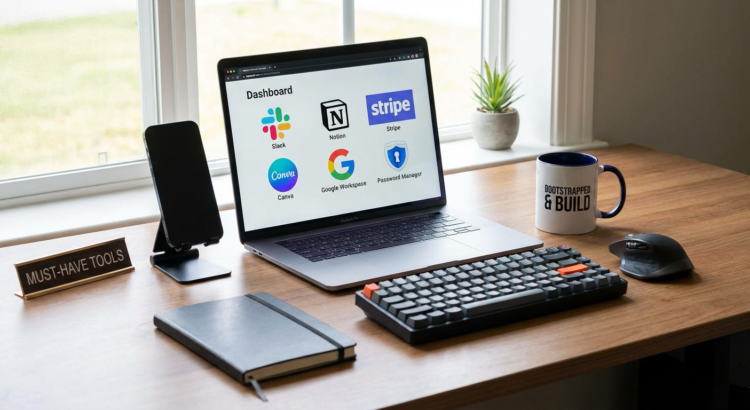
Must-Have Tools for Bootstrapped Startups: Building Your Tech Stack Without Breaking the Bank
Starting a business on a shoestring budget means every dollar counts. The right tools can help you work faster, look more professional, and compete with companies that have far bigger budgets. This list focuses on practical software and services that deliver real value without requiring a huge investment. Whether you’re a solo founder or a small team, these tools will help you build, market, and grow your startup efficiently.
- Legiit

Finding reliable freelancers when you can’t afford full-time employees is one of the biggest challenges for bootstrapped founders. Legiit connects you with vetted freelancers who specialize in marketing, design, development, and other essential services. The platform focuses on digital services that startups actually need, from logo design to SEO work to social media management.
What sets Legiit apart is the transparent pricing structure. You can see exactly what services cost before you commit, which makes budgeting much easier. Many freelancers offer package deals that bundle related services together, saving you time and money. For founders who need to move fast without hiring full-time staff, Legiit provides access to skilled professionals who understand startup constraints.
- Notion

Keeping track of everything in your startup can quickly become chaotic without a central system. Notion serves as an all-in-one workspace where you can manage projects, write documentation, track tasks, and store knowledge. The free plan is generous enough for small teams, and the learning curve is manageable even if you’re not particularly technical.
You can create databases, wikis, project boards, and notes all in the same place. This eliminates the need for multiple subscriptions to different tools. Many startup founders use Notion as their operating system, keeping everything from product roadmaps to meeting notes in organized pages. The flexibility means you can adapt it to your specific workflow rather than forcing your team to work in a rigid system.
- Stripe
Getting paid should be straightforward, not a technical nightmare. Stripe handles payment processing with a clean interface and reasonable fees. You can accept credit cards, digital wallets, and even international payments without building complex infrastructure. The setup process takes minutes, not weeks.
For bootstrapped startups, the pay-as-you-go model is perfect. There are no monthly fees or hidden charges, just a small percentage of each transaction. Stripe also provides useful features like subscription billing, invoicing, and fraud detection. The documentation is clear, and the API is well-designed if you need custom integration. Many successful companies started with Stripe and never needed to switch.
- Canva
Professional design work used to require expensive software and specialized skills. Canva changed that by offering a drag-and-drop design tool that anyone can use. You can create social media graphics, presentations, flyers, logos, and more without hiring a designer for every small task. The free version includes thousands of templates and design elements.
The real value comes from speed and consistency. You can establish brand colors and fonts, then quickly produce new materials that match your visual identity. This is especially helpful when you need to create content regularly for marketing. While Canva won’t replace a professional designer for major projects, it handles the daily design needs that would otherwise eat up your budget or your time.
- Google Workspace
Email, documents, spreadsheets, and cloud storage are fundamental needs for any business. Google Workspace bundles all of these together with a professional email address at your domain. The collaboration features let your team work on the same documents simultaneously, which speeds up everything from planning to content creation.
Pricing starts low enough that even solo founders can justify the cost for the professional appearance alone. Clients and partners take you more seriously when emails come from your domain rather than a free Gmail account. The storage limits are reasonable, and everything syncs across devices automatically. You also get access to Google Meet for video calls, eliminating the need for another subscription.
- Mailchimp
Building an email list from day one gives you a direct line to potential customers. Mailchimp offers a free plan that covers up to a certain number of subscribers, which is usually enough when you’re just starting. The email builder is simple to use, with templates that look professional without requiring design skills.
Email marketing consistently delivers one of the highest returns on investment for startups. Mailchimp includes basic automation features, so you can set up welcome sequences and follow-up emails that run automatically. The analytics show you what’s working and what’s not, helping you improve over time. As your list grows, the pricing scales with your needs rather than hitting you with a massive jump.
- Calendly
The back-and-forth of scheduling meetings wastes surprising amounts of time. Calendly solves this by letting people book time directly on your calendar. You set your availability, share your link, and people pick a time that works for both of you. The basic free version handles most scheduling needs for small teams.
This tool becomes especially valuable when you’re doing sales calls, customer interviews, or partner meetings. It looks professional and saves everyone the hassle of email tennis. Calendly integrates with your existing calendar, so you never get double-booked. It also sends automatic reminders, which reduces no-shows. The time you save adds up quickly, letting you focus on work that actually moves your business forward.
- Trello
Visual project management helps teams stay organized without complicated systems. Trello uses boards, lists, and cards to represent work in a way that makes sense at a glance. You can track product development, content calendars, sales pipelines, or any other process that involves moving items through stages. The free version works well for small teams.
The simplicity is the strength here. Anyone can understand how Trello works in about five minutes, which means your team actually uses it instead of abandoning it after a week. You can add attachments, due dates, and comments to cards, keeping all relevant information in one place. Power-ups extend functionality when you need more features, but the basic tool handles most startup needs without any additions.
- Loom
Sometimes explaining something over video is ten times faster than writing it out. Loom records your screen and your face simultaneously, creating quick video messages that you can share with a link. This is incredibly useful for giving feedback, explaining bugs, walking through processes, or creating simple tutorials.
For remote teams, Loom reduces the need for live meetings. You can record your message when it’s convenient, and the recipient can watch when it fits their schedule. The free plan includes enough recording time for regular use. Loom also works well for customer support, letting you show customers exactly how to solve their problems. The personal touch of seeing someone’s face while they explain something builds connection in a way that text never quite achieves.
- Buffer
Maintaining a social media presence takes consistent effort, but posting manually multiple times a day isn’t realistic for busy founders. Buffer lets you schedule posts across multiple platforms from one dashboard. You can batch-create content when you have time, then let Buffer publish it according to your schedule.
The analytics show which posts perform best, helping you refine your content strategy. The free plan covers a few social accounts and a limited number of scheduled posts, which is often enough when you’re starting out. Buffer also suggests optimal posting times based on when your audience is most active. This tool turns social media from a constant interruption into a manageable task you can handle in focused blocks of time.
- Zoom
Video calls are non-negotiable for modern businesses, especially with remote work becoming standard. Zoom offers reliable video conferencing with screen sharing, recording, and breakout rooms. The free plan includes unlimited one-on-one meetings and group meetings up to a reasonable time limit, which covers most startup needs.
The quality and reliability matter more than fancy features when you’re talking to customers or investors. Zoom works consistently across different devices and internet connections. The interface is clean enough that even non-technical people can join calls without confusion. Recording important meetings lets you review discussions later or share them with team members who couldn’t attend. While there are alternatives, Zoom has become the standard that everyone recognizes and trusts.
Building a bootstrapped startup means making smart choices about where to spend your limited resources. These tools handle essential business functions without requiring enterprise budgets or long-term contracts. Most offer free plans or pay-as-you-go pricing that scales with your growth. Start with the basics that address your immediate needs, then add more tools as your business expands. The goal is to work efficiently and professionally while keeping your burn rate low. With the right tools in place, you can compete effectively and focus your energy on building something people want.
